Reconciliation
You can import transactions into Presto from different sources.
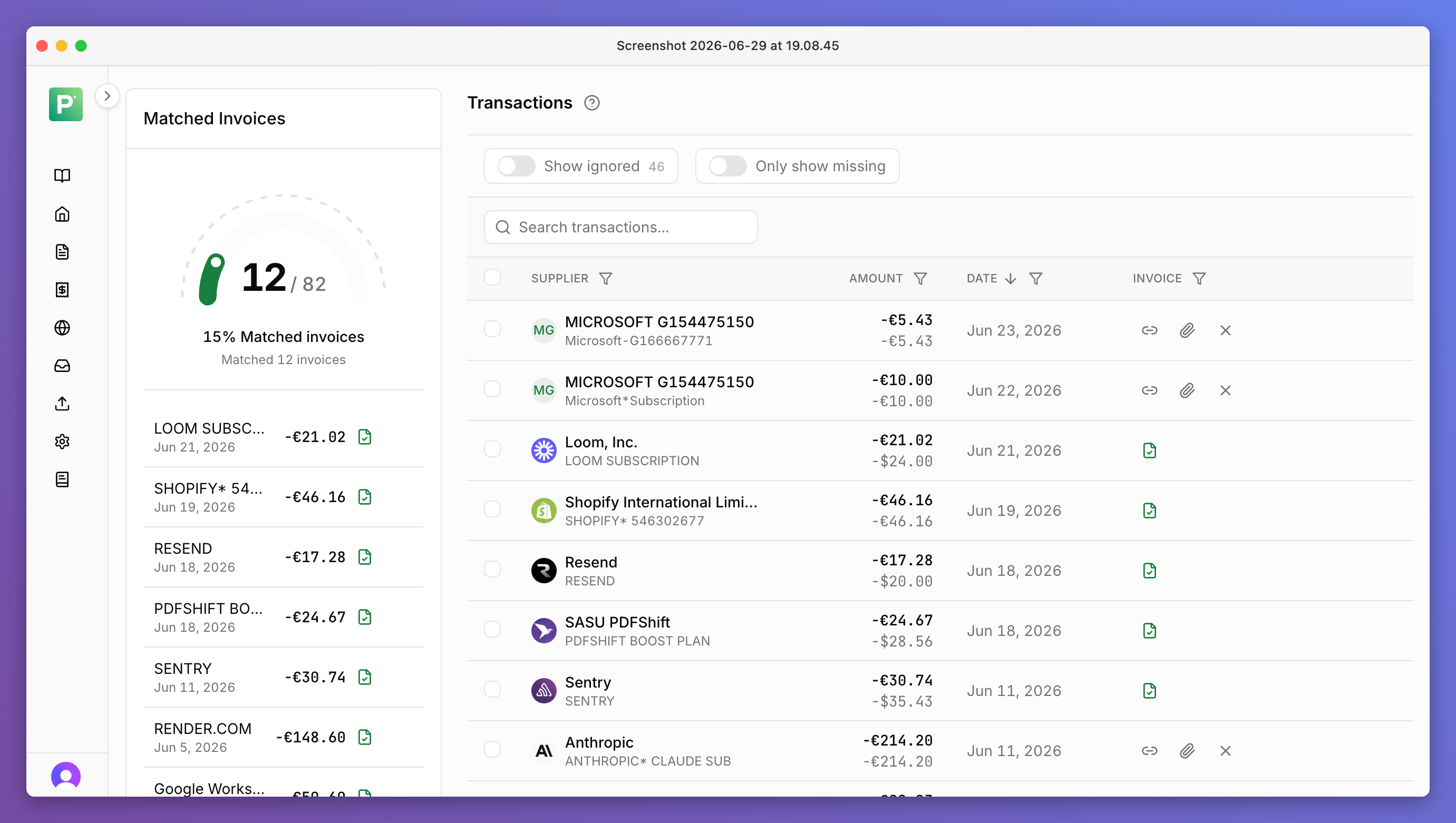
Import transactions from different sources
- Qonto API
- You can connect to the Qonto API and Presto automatically pulls new and updated transactions from Qonto in real time.
- Bank statements
- You can upload bank statements from any bank as PDF or CSV.
- Credit card statements
- You can upload credit card statements (e.g. from Amex) as PDFs or CSVs.
- DATEV OPOS lists
- You can import DATEV OPOS lists and Presto will infer missing invoices from it.
Automatic matching
- Wherever you import transactions from, Presto will automatically match invoices to bank transactions when new transactions or invoices come in.
- Also works with variations in supplier names, cross currency and other data noise.
- When available from the imported data, Presto also automatically ignores transactions that have already been matched in the bank to avoid duplicates, as well as other transactions that are not relevant for missing invoices (e.g. incoming payments).
- You can also configure Presto to automatically export only those invoices that have been matched to a bank transaction.
Stay organised
- Presto helps you stay organised by showing which transactions you can get from where and suggesting which billing portals to connect or sync in the portal manager based on your missing invoices that it could not find in your inbox.
- For transactions that Presto missed, you can match them automatically.
- You can also upload receipts directly in Presto (e.g. for physical receipts).