Presto Portal Manager
Presto Portal Manager is a desktop app that lets you download your invoices automatically from any supplier website.
104+ portals supportedRuns on your machineEncrypted credentials
How it works
Run supplier syncs in the background while Presto handles the invoice download, upload, and export steps.
Portal Manager walkthrough
- Run syncs on an automated schedule or start them manually
- Syncs run in the background - you can continue working normally on your laptop while they run
- Once syncs are done, invoices are automatically uploaded to your Presto dashboard and exported to your destination of choice.
Automatic login & 2FA
Presto handles the login flow for you and keeps your credentials encrypted on your own machine.
- Let Presto log in for you with authenticator-app codes, passwords or SSO
- For any other login methods (e.g. SMS 2FA codes, email magic links) Presto can re-use your already logged in sessions in your browser to sync invoices for you.
- Passwords and credentials stay encrypted on your own machine - they are never shared with us.
Supported portals
104+Search the supplier portals Presto can already sync automatically.

Adobe

Ahrefs

AliExpress

Amazon DE (Business)
Amazon DE (Personal)
Amazon SE (Personal)

Anthropic API

Apify

Aplano

AppSumo

AWS

Back Market

BetterContact

Bexio

Blackmagic Cloud

Bolt Business

BRACK

Cal.com

Canva

ChatGPT
Claude

Clay

ClickUp

Cookiebot

Cursor

Customer.io

DATEV

Deutsche Bahn

DHL Business Customers

Digitec Galaxus

DocuSign

Dripify

ElevenLabs

Envato

Epidemic Sound

Figma

Fillout

Frame.io

GitHub
GitHub Enterprise

GoDaddy

Google Ads

Google Cloud Platform

Google Voice

Google Workspace

Grover

Hetzner

Higgsfield

Hostpoint

HubSpot

Jamf Now

Klaviyo

Leadsie

Lindy


Lovable

Luma

Make (EU1)
Make (EU2)

Manychat

Meta Ads

Mollie

n8n

Namecheap

North Data

Notion

Obsidian
OpenAI API

PremiumSIM

ProBackup

Rakuten Advertising

RapidAPI

Relevance AI

Render

Revolut Business

ScrapingAnt

SendGrid

Sentry

Shopify

Simplytel

Sistrix

Slack

Smartlead

Speedy

Strato

Stripe

Supermetrics

Telekom.de

The Companies API

The Good Prep

Thomann

TikTok Ads

Uber

Upwork

Urban Sports Club

Vercel

Vimeo

Vodafone

Webflow

Whalesync

WooCommerce

Xano

Zapier
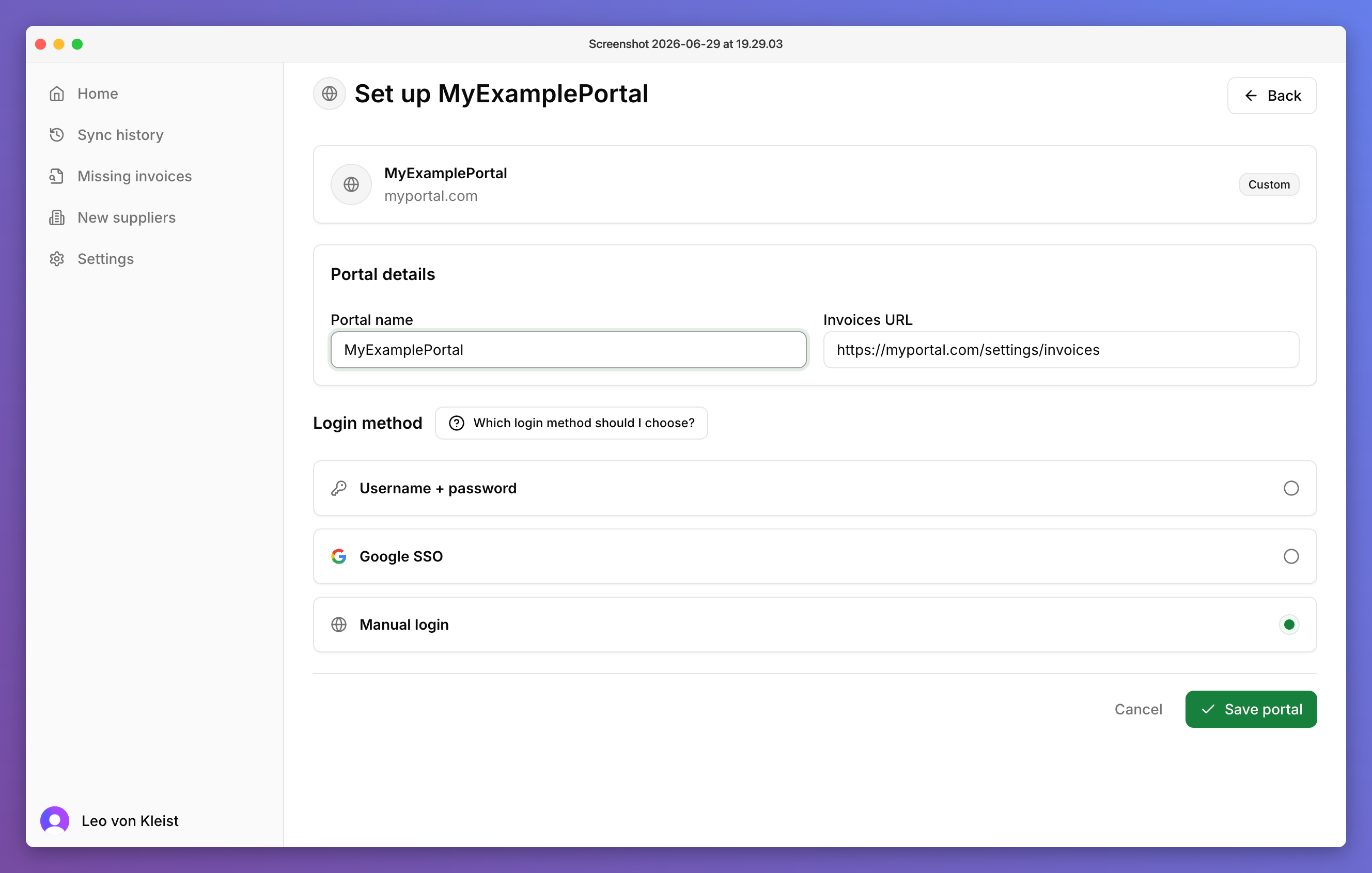
Adding new portals
If a supplier portal is not in the library yet, add it directly in the desktop app and let Presto learn the workflow.
- 01
Enter the name and URL of the portal
- 02
Choose how Presto should log in
- 03
Start a sync - the first sync will take about 5-10 minutes as Presto learns how the portal works. Future syncs are faster (less than 2 minutes)